




More people are discovering that a smarter workstation can be a powerful tool for sustained energy, better focus and fewer aches. Standing desks are no longer a novelty — they’re a practical way to break up long periods of sitting and keep your body engaged. This article covers how to use sit-stand solutions effectively, what features to prioritize, and which desk types suit different workflows. Whether you’re equipping a home office or redesigning a team workspace, you’ll find actionable tips and buying guidance to stay active all day.
Standing Desks: the productivity and health case
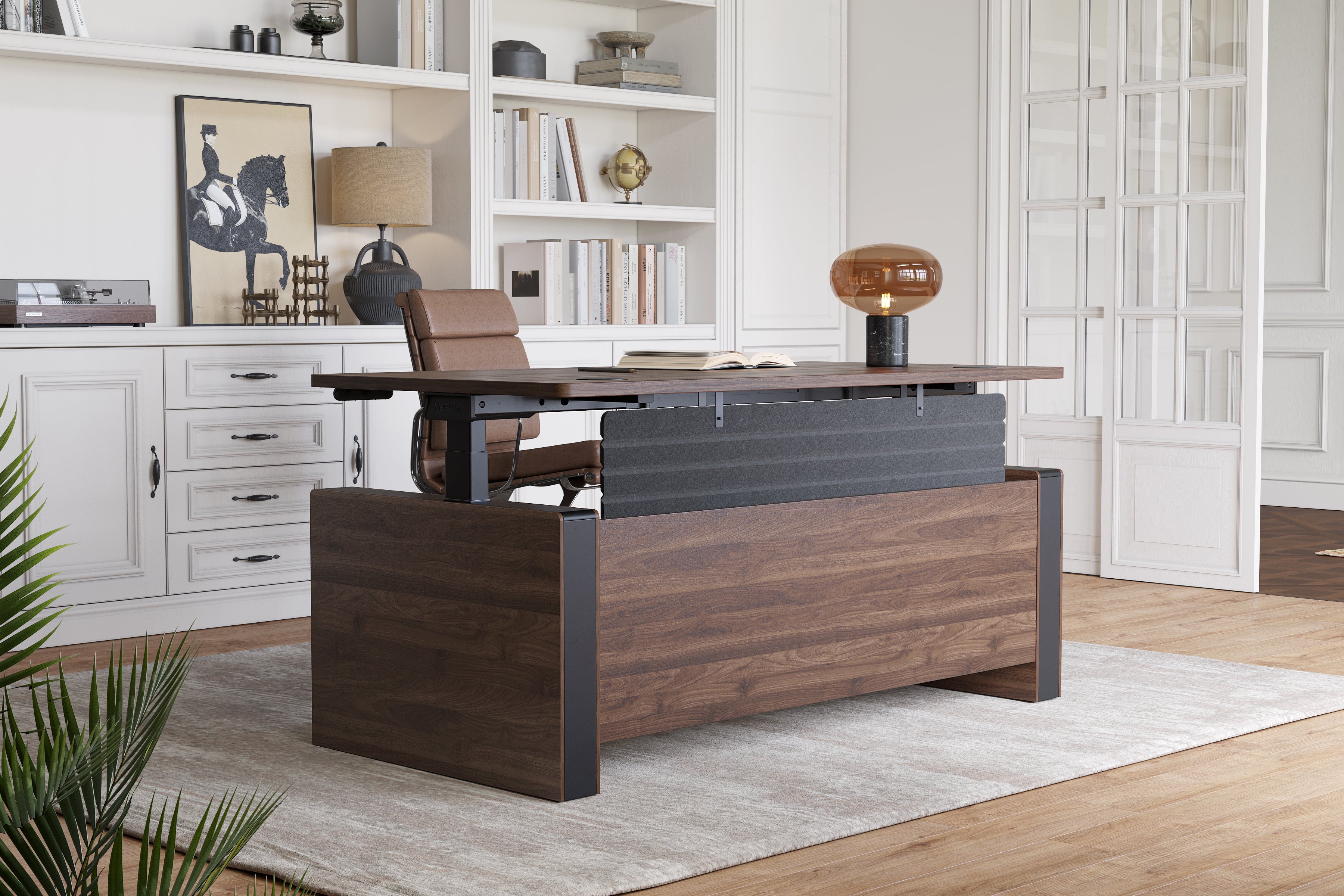
Standing Desks create opportunities for micro-movement and posture variation without disrupting work. Studies show that alternating between sitting and standing can improve circulation, reduce lower-back discomfort and help maintain energy levels during the afternoon slump. From a productivity standpoint, short standing intervals can heighten alertness and reduce mental fatigue for tasks that benefit from a lighter, more energetic stance — such as brainstorming, quick calls and review work. The key is not to stand constantly, but to build a rhythm that blends standing, sitting and movement throughout the day.
Sit Stand Desk strategies for a sustainable routine
To get the most from a Sit Stand Desk, adopt a simple schedule rather than random position changes. Beginners can start with a 20/40 pattern (20 minutes standing, 40 minutes sitting) and adjust based on comfort and task demands. Use calendar blocks to remind you to switch posture at natural breaks — after finishing a task, before starting a meeting, or at the top of the hour. If your desk supports it, program memory presets so one button raises the desk to your ideal standing height and another returns you to sitting. Combine this with short active breaks: calf stretches, a 2-minute walk, or a quick set of shoulder rolls to keep circulation humming.
Adjustable Height Desk and Electric Height Adjustable Desk: choosing the mechanism
When selecting the right mechanism, decide whether you want hands-on control or automated convenience. Manual Adjustable Height Desk options — crank or counterbalance systems — are reliable and energy-free, making them attractive for minimal setups. Electric Height Adjustable Desk models offer effortless, rapid transitions and programmable presets for multiple users. If you share a workstation, electric control with memory is a clear advantage. Evaluate motor noise, lifting capacity and wobble at full height: high-quality motors and reinforced frames make electric desks feel solid and professional.
Adjustable L Shaped Desk and Stand Up Executive Desk for different workflows
Layout matters. An Adjustable L Shaped Desk is ideal for multitaskers who need separate zones — one side for focused screen work, the other for sketching, reference materials or collaboration. L-shaped standing setups maximize usable surface area in smaller footprints. For leadership roles or client-facing spaces, a Stand Up Executive Desk combines ergonomic function with an authoritative appearance: wider desktops, cable-hiding channels and refined finishes create a meeting-ready standing station. Choose a footprint and shape that reflect how you work — a compact footprint favors concentrated solo work, while larger L-configurations support multi-monitor and multi-user scenarios.
Wood Standing Desk: blending wellness with aesthetics
If you appreciate tactile warmth and acoustic benefits, a Wood Standing Desk provides pleasing aesthetics alongside practicality. Solid wood or veneered tops reduce reverberation, hide fingerprints, and age gracefully. When selecting wood surfaces, confirm durability — a minimum thickness and a robust finish will resist dents and spills. Pair natural surfaces with anti-fatigue mats and a supportive chair so transitions in and out of standing remain comfortable. Wood tops can make standing routines feel more like part of a thoughtfully designed space rather than an appliance bolted in as an afterthought.
Practical accessories that keep you moving
Accessories turn a good vernal standing desk into a great active workstation. Consider an anti-fatigue mat to cushion feet and reduce joint strain during longer standing intervals. A monitor arm lets you position screens precisely at eye level for both sitting and standing; the correct monitor height prevents forward head posture and neck strain. A standing desk with keyboard tray makes it easier to maintain neutral wrists while standing. Finally, a compact footrest or small balance board encourages subtle weight shifts that reduce fatigue and promote micro-movement.
Ergonomics: posture, footwear and movement cues
Ergonomics in standing mode is about alignment and motion. Aim for elbows at roughly 90 degrees and the top of the monitor at or just below eye level. Wear supportive shoes and consider insoles if you stand a lot; squishy footwear can increase foot fatigue. Use scheduled movement cues (phone alarms, calendar notifications, or simple stretch timers) to avoid static standing. When possible, vary your stance: one foot slightly forward, gentle knee bends, or alternating shifting weight between legs keeps muscles active without causing strain.
How to evaluate desk claims — and Vernal Space Reviews as a reference
Vendors often emphasize features like motor quietness, load capacity and preset options. Look for tested stability values, motor cycle counts, and clear warranty terms. If you’re researching specific models, Vernal Space Reviews and similar user-feedback sources can highlight real-world issues such as assembly difficulty or long-term reliability. Use reviews to spot patterns — recurring reports about wobble, component failures, or excellent customer support are more useful than isolated opinions. Always cross-check claims with technical specs and third-party certifications where available.
Buying checklist: what matters most
- Stability at full height (test or confirm lab ratings).
- Height range and memory presets to match all users.
- Load capacity for multiple monitors and accessories.
- Quality of finishes and sustainability of materials (especially for wood tops).
- Warranty coverage, spare-part availability and service options.
Bringing it together: a simple action plan
Start small: program clear standing intervals, add an anti-fatigue mat, and fine-tune monitor and keyboard heights. Track how you feel after a week and tweak intervals and footwear as needed. If you’re shopping, prioritize stability and ergonomics over trends. With the right setup and a few supportive habits, standing desks can transform long workdays into active, healthier routines that sustain both focus and wellbeing.


Comments (0)