



A community sells out, but its page may still answer questions, attract relevant visitors, or help people find other homes in the area. Removing it immediately can break useful paths through your site. Leaving outdated availability online creates a different problem: buyers may assume homes are still for sale.
For SEO for home builders, the right choice depends on what the page still offers and whether there is a genuinely relevant next destination. Review its purpose, content, links, and search activity before deciding to retain it, update it, or redirect it. This framework helps you make that decision without treating every sold-out community the same way.
SEO for Home Builders: Should a Sold-Out Page Stay Live?
Start by asking whether the page still serves a real visitor. A sold-out community page can remain useful if it explains the location, home styles, amenities, construction details, or the community’s history. It may also help prospective buyers compare neighborhoods or find information about nearby opportunities.
Keep the URL live when the information is accurate, distinctive, and useful beyond current inventory. Update the page so its status is clear near the top. For example, state that the community is sold out, explain whether there are future phases if that is confirmed, and point visitors toward available homes or communities that are actually relevant. Avoid promising future availability unless your team can verify it.
Consider the page’s role in your site, too. Check whether it has useful organic visits, links from other websites, or internal links from location and community pages. Search activity alone does not prove a page should stay, but it can help show that people still use it. Review analytics and search data over a meaningful period, accounting for seasonality and any recent site changes.
A simple decision framework can keep the review consistent:
- Retain and update the page if it has accurate information that helps buyers or supports discovery of related homes.
- Retain with a clear status message if the community is sold out but its location, features, or history remain useful.
- Redirect only if a replacement page closely matches the original page’s purpose and would make sense to its visitors.
- Remove the URL only after checking its links, traffic, and role in navigation, and deciding there is no useful replacement.
These are general recommendations, not a guarantee that a page will keep or gain rankings. A page’s performance depends on its content, competition, site structure, and other factors. The goal is to make a clear, visitor-focused decision and verify what happens after the change.
What Can Go Wrong When You Remove a Community Page?
Deleting a URL without review can leave internal links pointing to a missing page. Visitors may reach an error after following an old community listing, a location page, or a link in a blog post. Search engines can also encounter broken URLs when crawling those paths. A crawl error is a report that a page or resource could not be accessed during a crawl. It is a signal to investigate, not proof by itself that rankings have been harmed.
A redirect is not automatically the right fix. Sending every sold-out community URL to the homepage, a general inventory page, or an unrelated development can be confusing for visitors. It may also fail to preserve the original page’s purpose. If there is no close replacement, keeping an accurate page live or returning an appropriate not-found response may be more honest than redirecting to an unrelated destination.
Before removing a page, look for signs that it still has value or an unresolved role:
- Internal links from active pages, navigation, or location guides.
- External links that refer to the community or its specific information.
- Organic visits or search queries that suggest people still seek details about it.
- Useful content that could be updated instead of discarded.
- Connections to a current phase or nearby community, provided the relationship is accurate.
Then review the destination you have in mind. A replacement should match the visitor’s likely need. A page about a nearby community may be suitable if it shares a location or offers a clear alternative, but proximity alone is not enough. If the new page is substantially different, explain the relationship on the sold-out page where possible, rather than assuming a redirect will answer every visitor’s question.
A Careful Transition Checklist for Sold-Out URLs
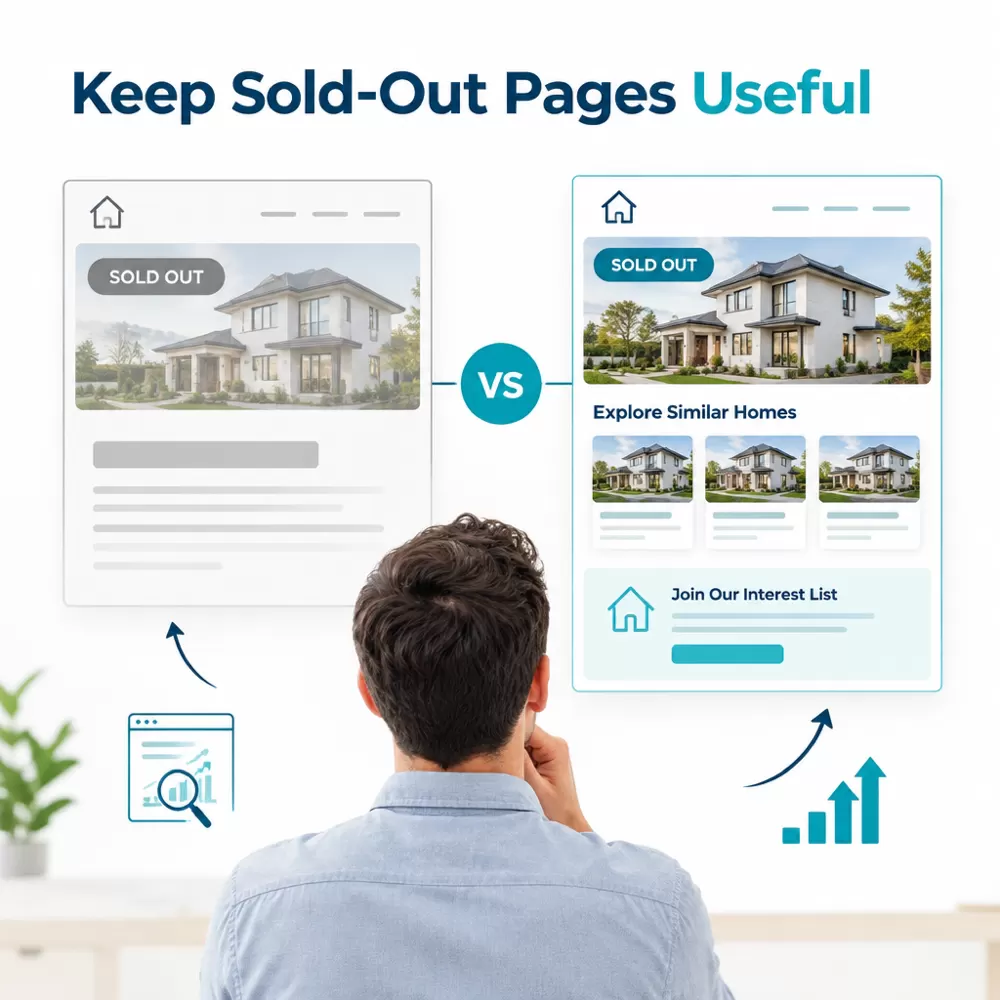
Before making a change, record the current URL and its status. Confirm availability with the sales or development team, then check the page in a browser and review its links, analytics, and search data. This creates a basic record of what the page did before its content or destination changes.
- Choose the action. Decide whether the page should remain live, be updated, redirect to a close match, or be removed. Note why the selected option helps visitors.
- Update availability clearly. If the page stays live, place the sold-out status where visitors will see it. Correct outdated inventory language, forms, calls to action, and dates. Keep useful location or community details when they remain accurate.
- Check the destination. If redirecting, compare the old page’s purpose with the replacement. Make sure the destination works, loads successfully, and offers a sensible next step. Avoid a chain of redirects, where one redirect sends visitors through another before reaching the final page.
- Repair internal links. Find links to the old URL and change them to the best current destination, or remove them if they no longer help. Do not rely on redirects to fix every internal path.
- Review crawl and index signals. After the change, test the old URL and destination. Check for broken links, redirect loops, unexpected 404 errors, and crawl reports. Confirm that the intended page is accessible and that the site’s sitemap reflects current URLs.
- Monitor and document. Recheck the page and relevant reports after deployment. Record the date and decision so future teams understand why the URL was retained, redirected, or removed.
When a team needs help evaluating technical fixes, local visibility, ranking content, ethical link building, and reporting tied to leads, SEO Deep Insights provides seo for home builders support for custom home builders. Ask any provider how it will assess the specific URL, track technical issues, and report what can be verified. Clear scope and transparent reporting matter more than promises of a particular ranking or recovery.
A sold-out community page is not automatically obsolete, and a redirect is not automatically a cleanup. Make the choice based on the page’s remaining value, the accuracy of its information, and the relevance of any replacement. Then check the site after the change so visitors and search engines can follow the paths you intended.


Comments (0)